Begin A New Project
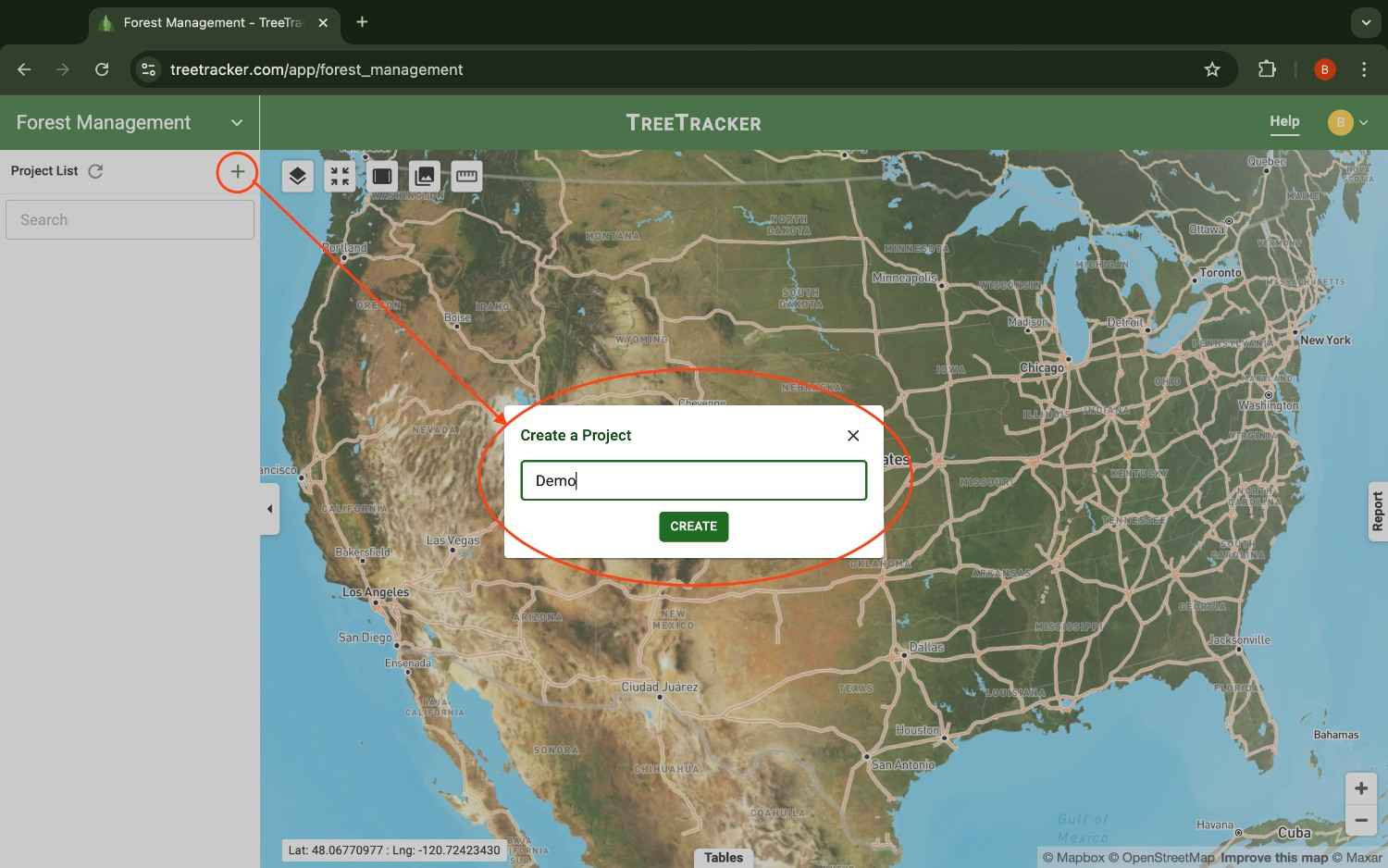
Click the Add button in the project list.
Enter the name for the new project.
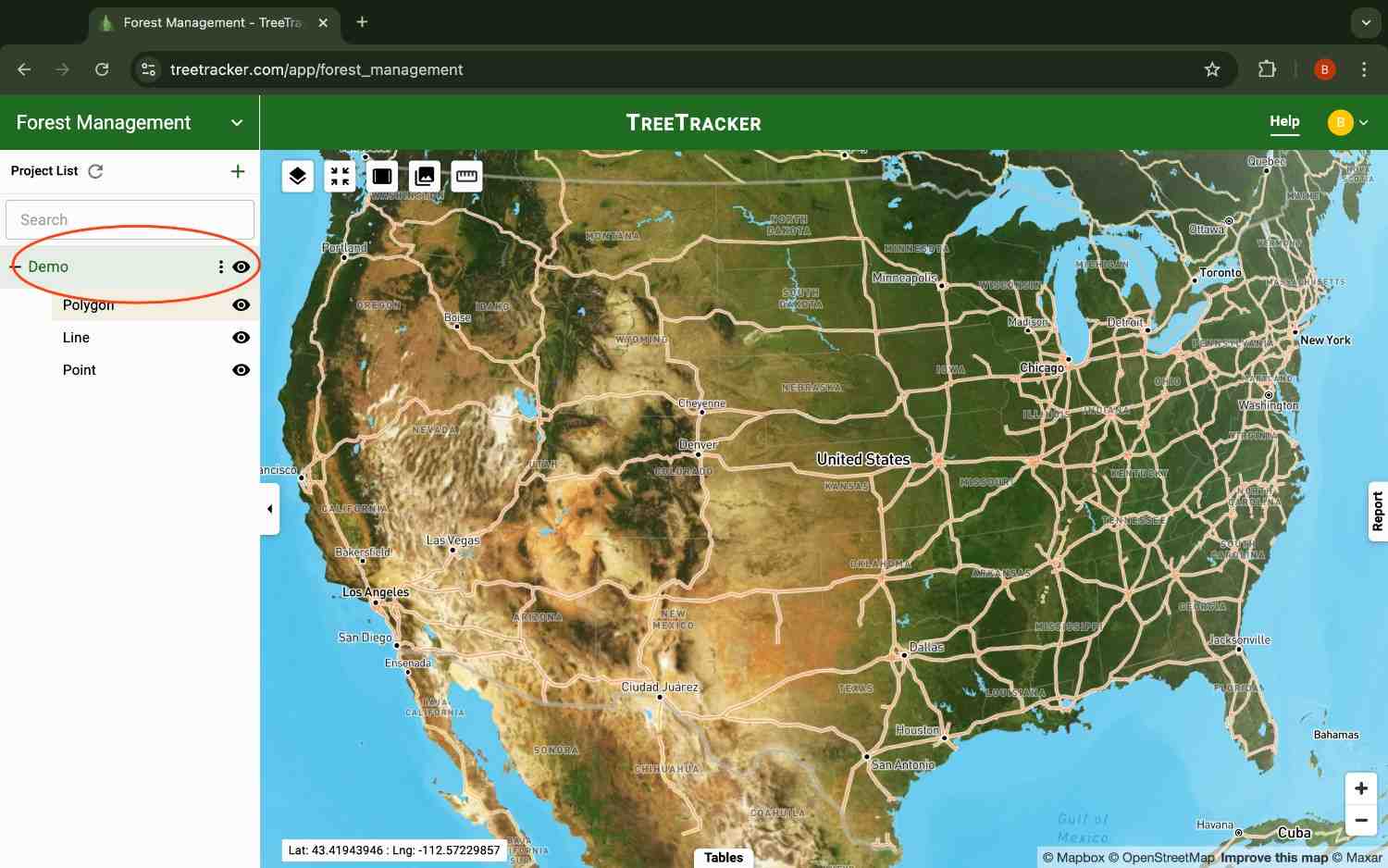
The project will appear in the left-hand project pane on the page allowing you to view the project’s polygons, lines, and points.
Click the Show/Hide Icon next to a project name to display the project’s shapes on the map.
A project will begin as a blank map, and you will be able to create polygons, lines, and points once you open the Show/Hide Icon to activate the project.