Filter / Data Search
After data has been added to TreeTracker, it can be used to perform searches.
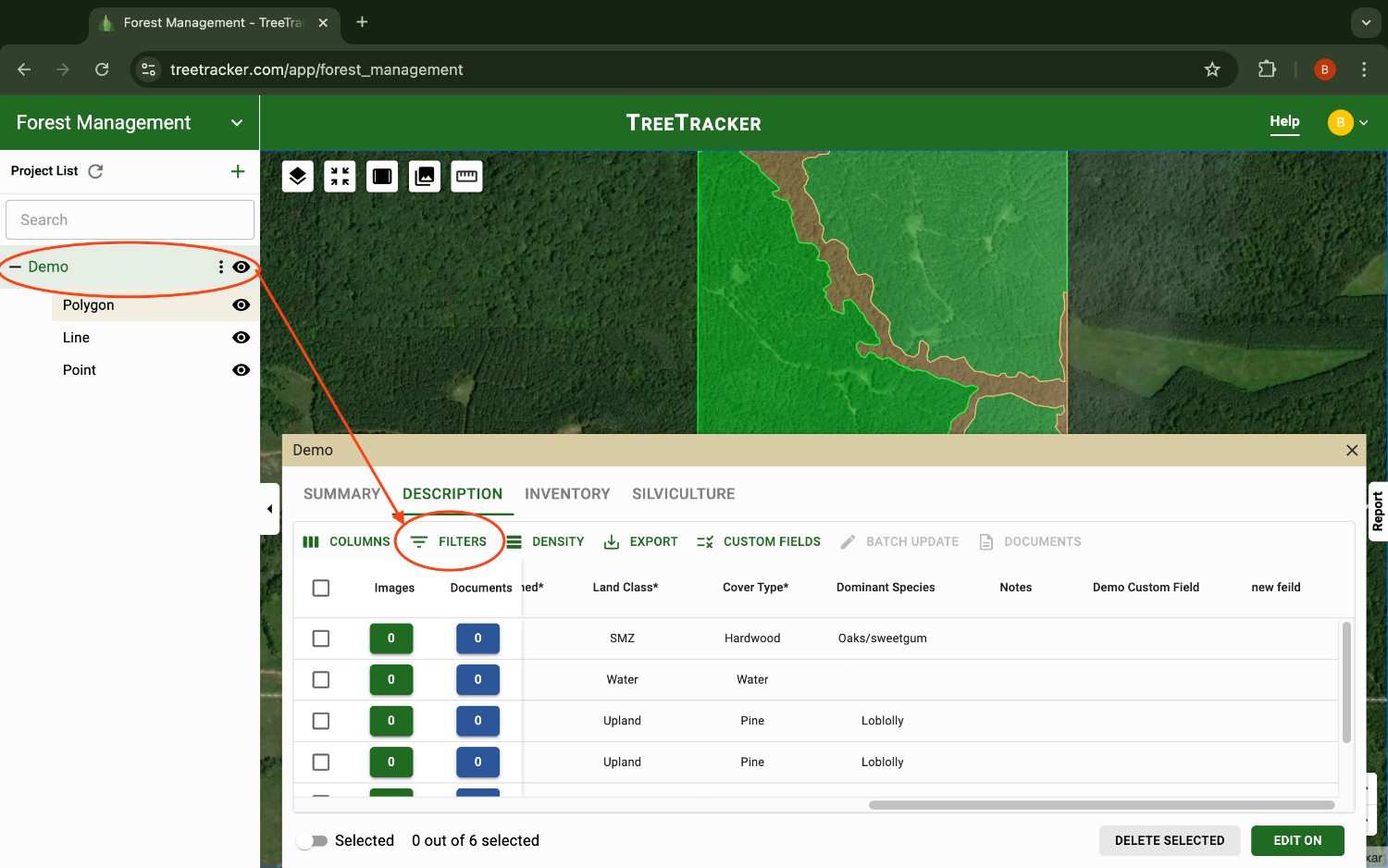
Select the project from the Project List.
Open the Tables pane.
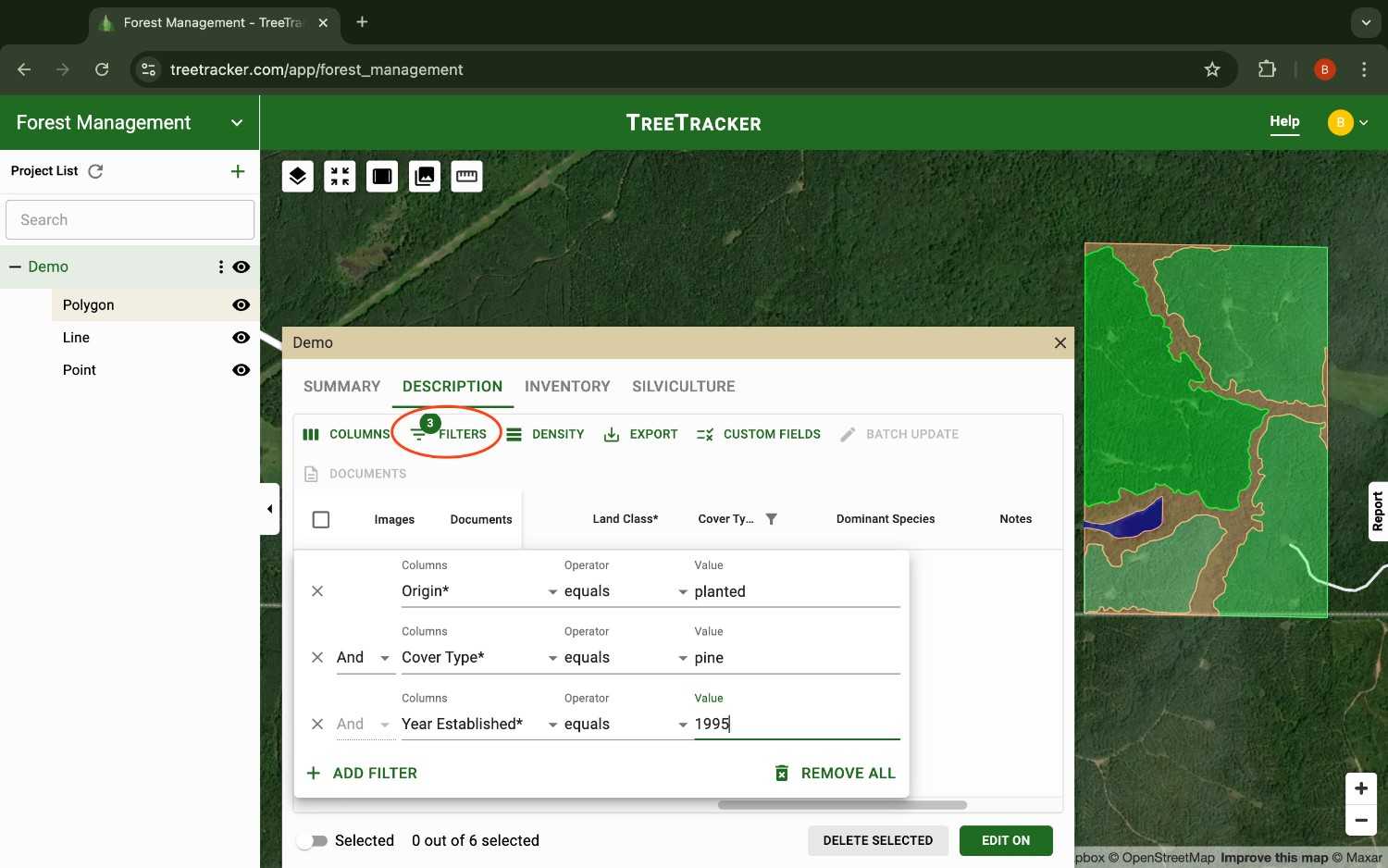
Click Filters to display the filters window for the table you currently have open.
Filters can be assigned to columns from table shapes with specific characteristics.
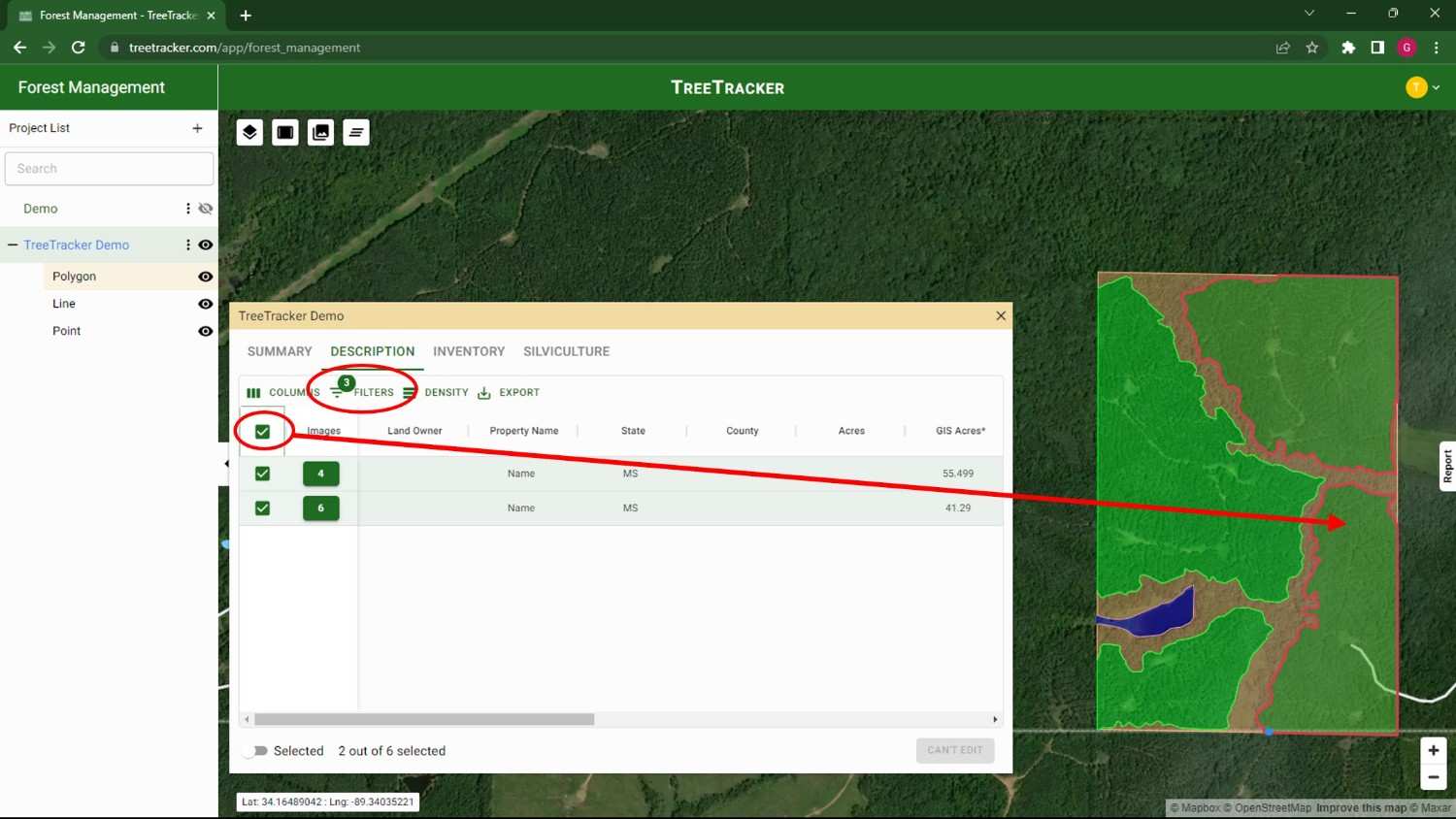
Use the Select All button at the top left of the data table after applying a filter to highlight those filtered polygons on the map.