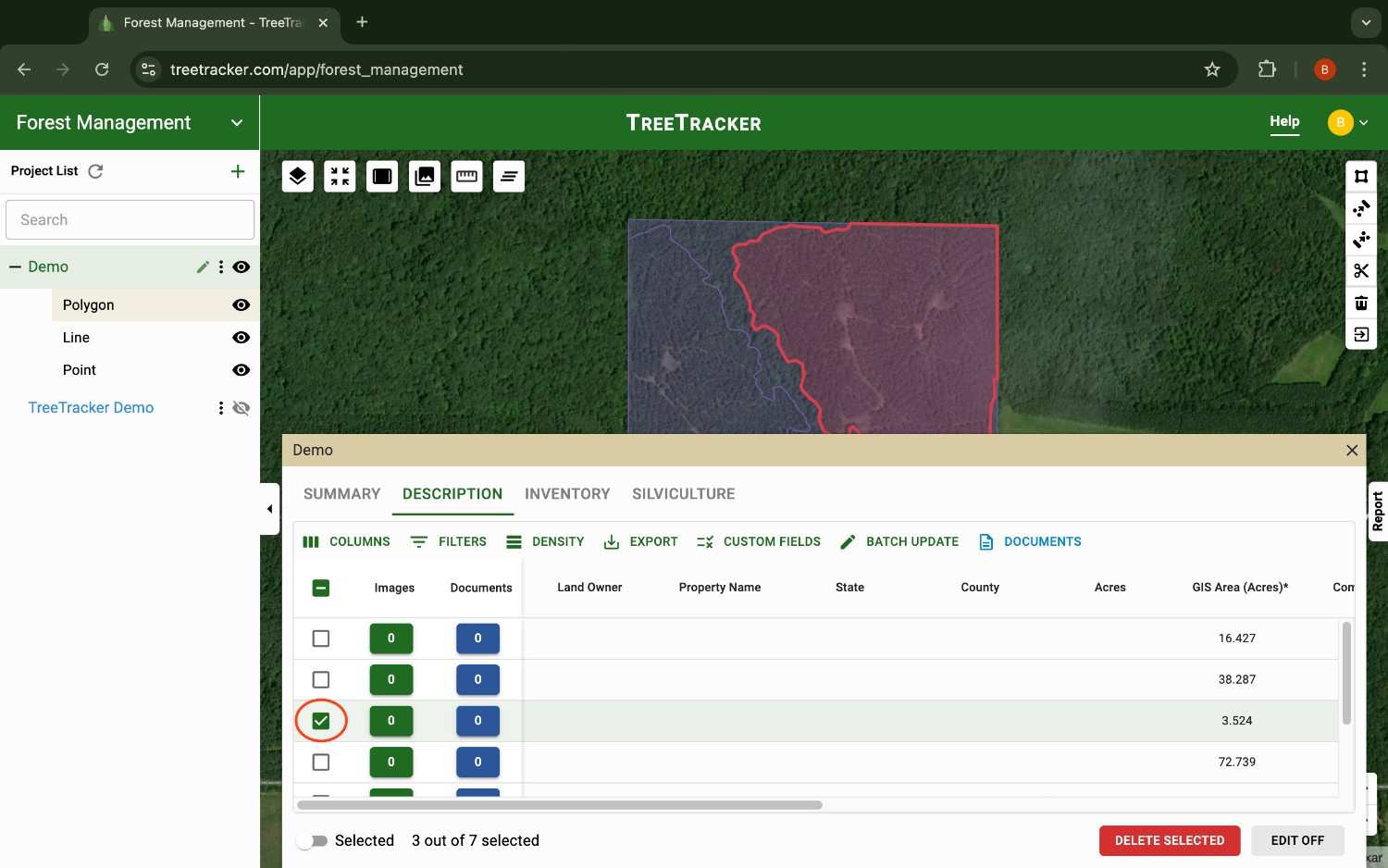
Single select in Table
To select single shapes and lines of data, navigate the curser inside the table over the selection box next to the desired data you wish to select and click the left mouse button. This will change the selection box to have a check mark, highlight the line of data in light green , and highlight the shape in RED in the map to identify which data and shape is selected. To unselect you simply left click the mouse again with the curser over the selection box . This procedure selects/unselects shapes one at a time.